VibeGamer
/Discover/HAD-HumanAidedDesignHAD-HumanAidedDesign
(HAD)Made byIEdible
You may also like

The Clockmaker's Heart
Claude Fable 5.2
91 10m 297

The Astrolabe Chamber
Gemini 4 Neon
7 2m

Tumblebuds: The Journey Home
Claude Code
6 13m
Beat The Elements
1

ときめき君の服装年代チェック
3 710

Jelly Sub: The Great Dam Squeeze
14 4m 621

EBB
Claude Fable 5.2
25 1m 304

Tide Atlas
GPT-6.2 Astra
11 2m 342

DRIFT: A Harma Story
Claude Fable 5.2
12 2m 21

Origami Odyssey: Pop-Up Book Journey
4 55

Wrongly Drawn
Claude Code
2 1m

Handful: Island God Game
Claude Fable 5.2
32 2m 11
You may also like
The Clockmaker's Heart
Claude Fable 5.2
91 10m 297
The Astrolabe Chamber
Gemini 4 Neon
7 2m
Tumblebuds: The Journey Home
Claude Code
6 13m
Beat The Elements
1
Jelly Sub: The Great Dam Squeeze
14 4m 621
EBB
Claude Fable 5.2
25 1m 304
Tide Atlas
GPT-6.2 Astra
11 2m 342
DRIFT: A Harma Story
Claude Fable 5.2
12 2m 21
Origami Odyssey: Pop-Up Book Journey
4 55
Wrongly Drawn
Claude Code
2 1m
Handful: Island God Game
Claude Fable 5.2
32 2m 11

Outpost Racer
ChatGPT
0
About this game
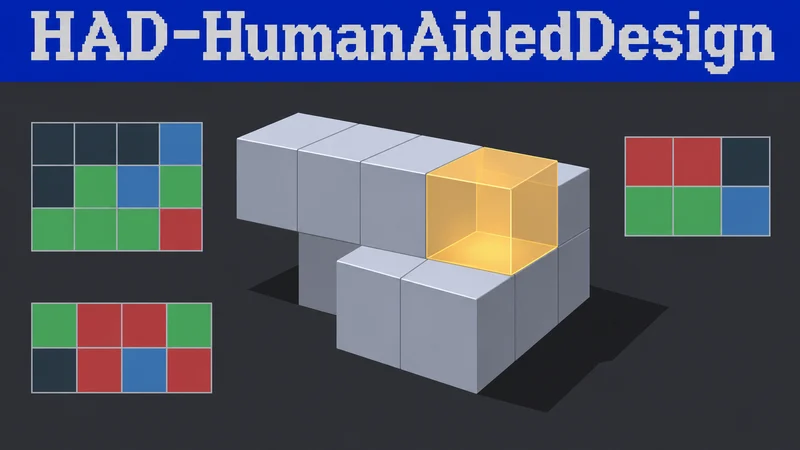
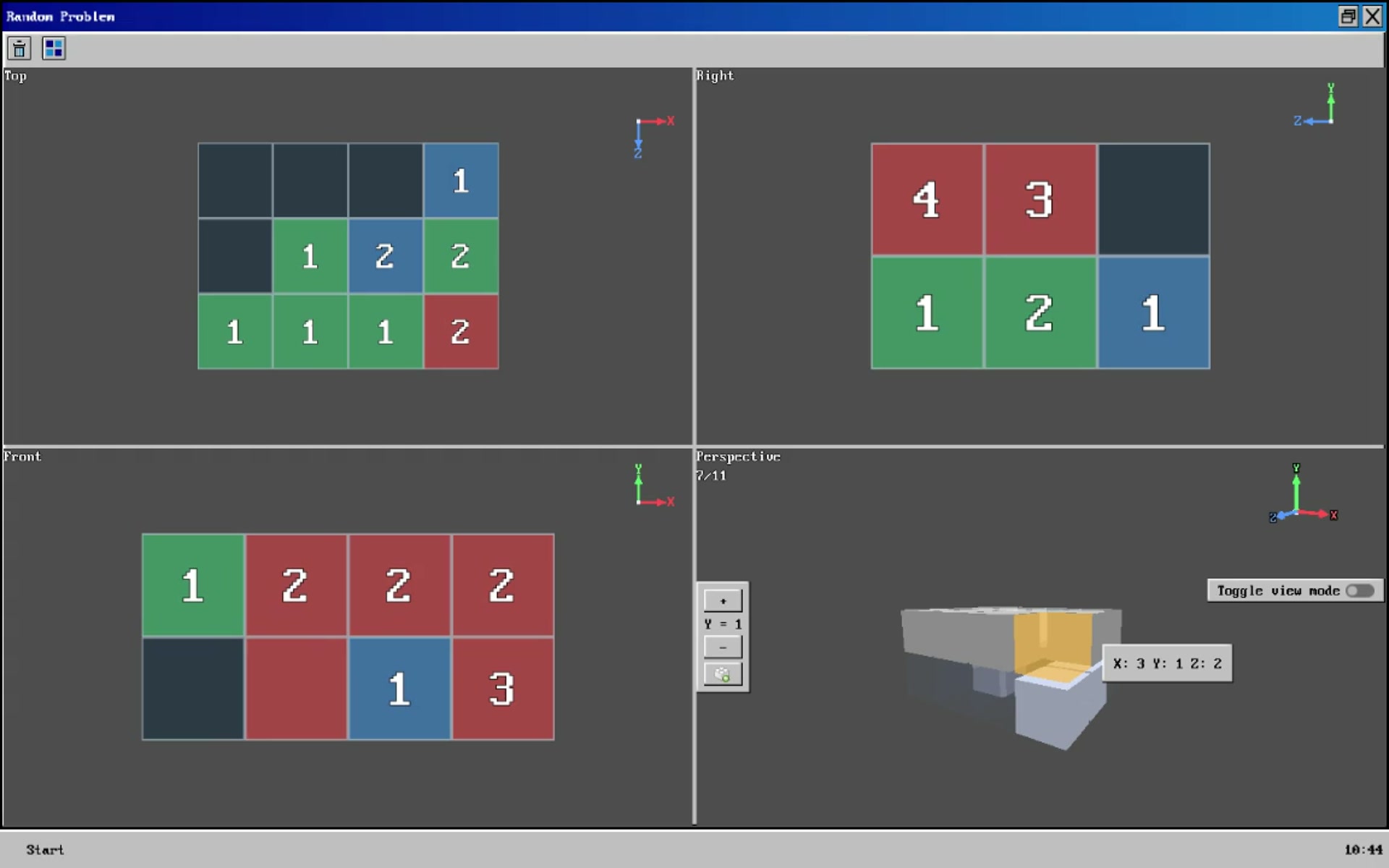
Open Random Problem on IEdible’s retro desktop and you get three drawings of a missing model. Each number counts the cubes along one line of sight. A 2 seen from above tells you how many cubes occupy that column. The front and right views help you work out which layers they sit on.
Click in the perspective pane to place or erase a cube. The affected clues change color together, so a move that satisfies one view can expose a mistake in another. Use W and S to step between layers, or Ctrl+D to copy a layer upward. Switch to the rotating view to see the solid you’ve built.
Follow VibeGamer
A new game made with AI every day, in short videos you can watch in seconds. Follow us so you don't miss the next one.
VibeGamer





Comments
0 commentsNo comments yet — be the first.