"Unity MCP" usually means MCP for Unity (the CoplayDev/unity-mcp repo), a free, MIT-licensed package that lets an AI agent such as Claude Code, Codex or Cursor drive the Unity Editor: create GameObjects, write C# scripts, edit prefabs and materials, read the console and run tests. It is the most-starred Unity MCP server on GitHub, with 16,205 stars on November 26, 2026. It is not made by Unity.
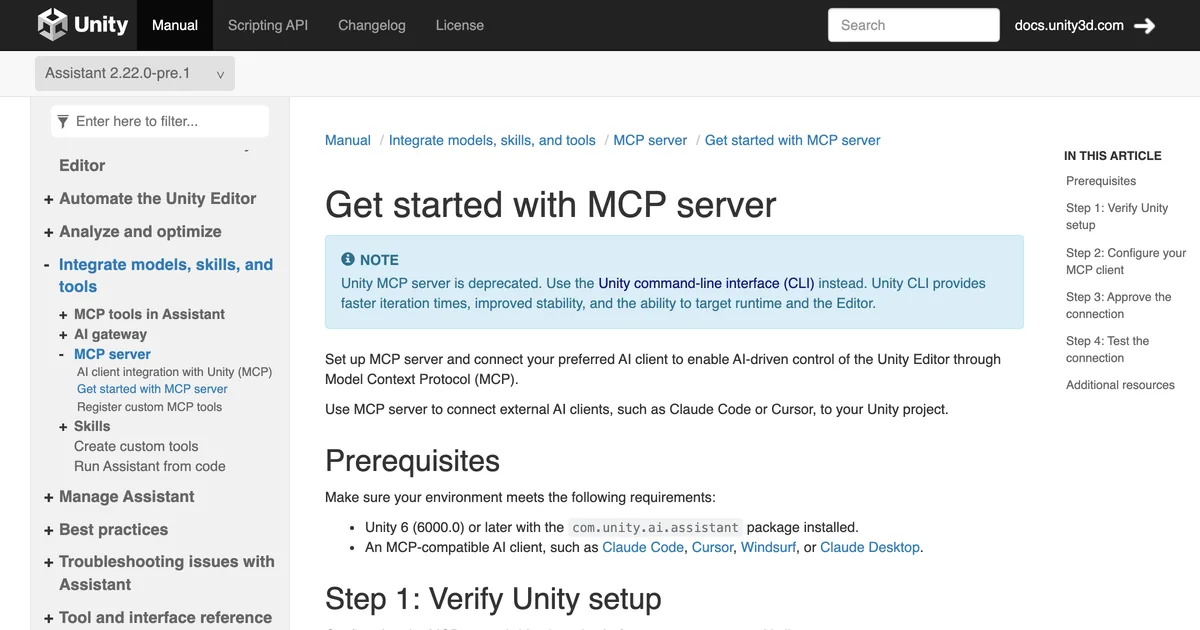
Unity does have its own route, and it changed this autumn. The MCP server that shipped inside Unity's AI Assistant package is now marked deprecated. Unity's docs point to the new Unity CLI instead, which has a unity mcp command and pairs with an official Unity plugin for Claude Code and Codex.
This guide compares the servers people mean by "Unity MCP", shows how to install each in Claude Code and Codex with the commands from their own docs, and walks through adding a coin pickup to a game. We checked every repo, command, version and price on November 26, 2026. We did not run Unity for this article, so the example is a walkthrough built from the documented tools, not a test report.
Unity MCP servers compared
| Server | Made by | License | GitHub (Nov 26, 2026) | Price | Unity versions | Tools |
|---|---|---|---|---|---|---|
| MCP for Unity | Coplay (sponsored by Aura) | MIT | 16,205 stars, pushed Nov 17 | Free | 2021.3 LTS to 6.x | 50, in 10 groups |
| AI Game Developer (Unity-MCP) | Ivan Murzak | Apache-2.0, plus two PolyForm Shield libraries | 4,699 stars, pushed Nov 24 | Free | 2022.3+ | Query tools (RQL), C#, tests, screenshots, runtime tools |
| mcp-unity | CoderGamester | MIT | 2,022 stars, pushed Oct 11 | Free | Unity 6+ | 33 tools plus resources |
Unity CLI (unity mcp) |
Unity Technologies | Unity's terms | Not on GitHub | Free | Editor control needs 6.0 LTS+ | Commands and tools exposed by the open Editor |
| AI Assistant MCP server (deprecated) | Unity Technologies | Part of Unity AI | Not on GitHub | Needs an eligible Unity subscription and an assigned seat | Unity 6 (6000.0)+ | Built-in tools such as Unity_ManageScene, Unity_ReadConsole |
Star counts and push dates are GitHub's figures on November 26, 2026. "Free" means the tool itself; you still pay for your AI agent.
Which Unity MCP should you use?
- You want the common, well-documented choice: MCP for Unity (Coplay). It auto-configures Claude Code, Codex, Cursor and a dozen other clients, keeps a small default tool set, and has the biggest community.
- You want Unity's official path: the Unity CLI plus the Unity plugin for Claude Code or Codex. It is free, separate from Unity AI, and does not need a Unity AI subscription. It needs Unity 6.0 LTS or newer to drive a running Editor.
- You care about token use, or want tools inside your built game: AI Game Developer. Its query language replaces dozens of single-action tools, and it can expose tools in a running player build. Its default connection goes through the author's cloud relay; switch to the local mode if you don't want that.
- You are on Unity 6 and want a small, plain tool list: mcp-unity. It has one tool per action (
move_gameobject,create_prefab,set_play_mode_statusand so on) and a per-project auth token. - You already pay for Unity AI and use the Assistant window: Unity's AI gateway can run Claude Code, Codex, Cursor CLI or Gemini CLI inside the Editor. But its MCP server is deprecated, so don't build new setups on it.
For skills and MCP servers across other engines, see our game dev agent skills and MCP servers list. For Godot, see our Godot MCP guide.
What Unity MCP is
MCP (Model Context Protocol) is a standard way to give an AI agent tools that act on another program. A Unity MCP setup has three parts:
- A Unity package installed in your project. It runs inside the Editor and does the actual work: creating objects, writing files, entering Play mode.
- An MCP server that your agent talks to. For MCP for Unity it is a small Python server (
mcpforunityserver) onhttp://localhost:8080/mcpby default. For mcp-unity it is a Node.js process. For the Unity CLI it is theunitybinary itself. - Your agent: Claude Code, Codex, Cursor, Claude Desktop, VS Code Copilot, Gemini CLI or another MCP client.
The agent never sees Unity's UI. It calls tools such as "create a GameObject with these components" or "read the last 20 console errors", gets JSON back, and decides what to do next. That is why the console and test tools matter: they are how the agent finds out its C# didn't compile.
Because Claude Code and Codex can also edit files on disk, many Unity MCP setups split the work: the agent writes C# scripts as normal files, and uses MCP only for things that need the Editor, such as scenes, prefabs, components and Play mode.
MCP for Unity (CoplayDev/unity-mcp)
The project began as justinpbarnett/unity-mcp; GitHub now redirects that address to CoplayDev/unity-mcp. It is maintained by Coplay and sponsored by Aura, a paid Unity and Unreal assistant from the same team. The README says it "is not affiliated with Unity Technologies".
- License: MIT. Free.
- Latest release: v10.3.0 (October 4, 2026).
- Needs: Unity 2021.3 LTS to 6.x, Python 3.10+ and uv. The setup wizard installs Python and uv if they are missing.
- Clients it auto-configures: Claude Code, Claude Desktop, Codex, Cursor, VS Code Copilot, GitHub Copilot CLI, Windsurf, Cline, Gemini CLI, Qwen Code, Antigravity, OpenClaw and Pi, per its client page.
Tools. The tool catalog lists 50 tools in 10 groups. Only the core group is on by default, to keep prompts short. The agent turns other groups on with manage_tools.
core:manage_scene,manage_gameobject,find_gameobjects,manage_components,manage_prefabs,manage_asset,manage_material,manage_camera,manage_physics,manage_graphics,manage_packages,manage_build,manage_editor(play, pause, stop, tags, layers, undo),create_script,script_apply_edits,validate_script,read_console,refresh_unity,execute_menu_item,batch_executeand more.testing:run_tests,get_test_job.profiling:manage_profiler.ui:manage_ui(UI Toolkit).vfx:manage_vfx,manage_shader,manage_texture.animation:manage_animation,manage_sprite.probuilder:manage_probuilder.docs:unity_docs,unity_reflect.scripting_ext:execute_code(runs arbitrary C# in the Editor) andmanage_scriptable_object.asset_gen:generate_model,generate_image,generate_audio(bring your own API keys),import_model(Sketchfab), andblender_bridge, which talks to a Blender running Blender MCP.
Install MCP for Unity
- In Unity, open Window → Package Manager, click +, choose Add package from git URL... and paste:
https://github.com/CoplayDev/unity-mcp.git?path=/MCPForUnity#main
Or use OpenUPM:
openupm add com.coplaydev.unity-mcp
It is also on the Unity Asset Store. The Git URL route needs git on your PATH.
- A setup wizard opens after import. Let it check Python and uv, click Done, pick your clients and click Configure Selected. You can come back later through Window → MCP for Unity → Configure All Detected Clients. The status panel reads
Connectedwhen it works.
Connect it to Claude Code
The wizard registers the server with Claude Code for you. Under the hood it runs claude mcp add and checks the result with claude mcp list, per the project's configurator docs. Claude Code auto-connects after configuration.
If you'd rather do it by hand, the project's install page gives the server address as http://localhost:8080/mcp. In Claude Code's documented syntax for HTTP servers, that is:
claude mcp add --transport http unityMCP http://localhost:8080/mcp
Run claude mcp list to check it, or /mcp inside a session. Unity must be open with the MCP for Unity server running.
Connect it to Codex
The wizard writes Codex's ~/.codex/config.toml for you, and Codex auto-connects. By hand, the Codex MCP docs take an HTTP server with --url:
codex mcp add unityMCP --url http://localhost:8080/mcp
or in ~/.codex/config.toml:
[mcp_servers.unityMCP]
url = "http://localhost:8080/mcp"
Cursor and stdio clients
For Cursor, Windsurf and other HTTP clients, the docs give this JSON:
{
  "mcpServers": {
    "unityMCP": {
      "url": "http://localhost:8080/mcp"
    }
  }
}
Cursor also needs the unityMCP server switched on under Settings → MCP. Claude Desktop only supports stdio, which the docs configure like this on macOS and Linux:
{
  "mcpServers": {
    "unityMCP": {
      "command": "uvx",
      "args": ["--from", "mcpforunityserver", "mcp-for-unity", "--transport", "stdio"]
    }
  }
}
Telemetry. The server sends anonymous usage data (tool names, timings, Unity version, platform) to Coplay. Its telemetry doc says code, project names and paths are not collected. Set DISABLE_TELEMETRY=true (or UNITY_MCP_DISABLE_TELEMETRY=true) to turn it off.
Unity's official option: the Unity CLI
Unity's in-editor MCP server, part of the AI Assistant package (com.unity.ai.assistant), is deprecated. Every page of its documentation now opens with: "Unity MCP server is deprecated. Use the Unity command-line interface (CLI) instead." That old server also needed "an eligible Unity subscription and an assigned seat", per the AI gateway docs.
The replacement is the Unity CLI. Version 1.0.0 came out on November 12, 2026 and 1.0.1 on November 16, after seven months of betas, per its release notes. Unity's migration page says:
unity mcpstarts an MCP server for agents, and uses the same protocol as the old server.unity commandandunity evaldrive the Editor without MCP. Unity says they are faster and use fewer tokens, so use them if your agent can run shell commands. Claude Code and Codex can.- The CLI is free and separate from Unity AI. It doesn't need a Unity AI subscription.
- Driving a running Editor needs Unity 6.0 LTS or later and the Unity Pipeline package, which talks to the CLI on localhost only.
- Third-party MCP packages from GitHub, such as MCP for Unity, are not affected.
Install the Unity CLI and connect Claude Code or Codex
The Unity Hub now installs the CLI for you. To install it yourself, the install page gives, for macOS and Linux:
curl -fsSL https://unity.com/install.sh | bash
or with a package manager:
brew install --cask unity-cli     # macOS / Linux
winget install Unity.CLI          # Windows
Then, from the migration page:
unity pipeline install            # add the package that connects the CLI to the Editor
unity mcp configure claude        # point Claude Code at the CLI's MCP server
unity mcp configure --list        # see the supported clients and their status
unity skill install <agent-name>  # install the Unity skills for your agent
For Claude Code and Codex, Unity recommends its official plugin, which bundles a using-unity skill that points the agent to 35 Unity skills (UI, 2D physics, URP, in-app purchases, multiplayer, the CLI itself). Install commands from its README:
# Claude Code (from a terminal)
claude plugin marketplace add Unity-Technologies/unity-agent-plugin
claude plugin install unity@unity-agent-plugin

# Codex
codex plugin marketplace add Unity-Technologies/unity-agent-plugin
codex plugin add unity@unity-agent-plugin
Inside Claude Code you can type the same as slash commands: /plugin marketplace add Unity-Technologies/unity-agent-plugin, then /plugin install unity@unity-agent-plugin. The plugin was at 0.1.10-beta, works with Unity 6+, and is under the Unity Companion License, which allows use with Unity projects. It is not an open-source license.
Note what this is: skills plus a CLI, with MCP as an option. If your agent can run shell commands, Unity's own advice is to skip MCP and let the agent call unity command.
AI Game Developer (IvanMurzak/Unity-MCP)
A Unity package (com.ivanmurzak.unity.mcp), a CLI (unity-mcp-cli) and optional extensions, released together at version 1.14.3 on November 24, 2026.
- What's different: instead of one tool per action, the agent reads and changes scenes, objects and assets through
rql-queryandrql-mutate, using a query language the agent learns fromrql-schema. Other default tools:script-execute(run C# in the Editor),tests-run,screenshot-isolated,package-*andassetstore-*, andunity-tool-list. The README links a benchmark the author ran, claiming about five times fewer prompt tokens than one-tool-per-action servers. - Runtime tools: any C# method marked
[AiTool]becomes a tool, and the same tools can run inside your compiled game. - Cloud or local: the default connection goes through the author's relay at
ai-game.dev(free, needs a sign-in). The README says the relay does not store tool-call contents but records event metadata for 90 days. The Custom mode runs a local server on127.0.0.1with no account. - License: the plugin is Apache-2.0. It uses two libraries, RQL and Code-Exec, under PolyForm Shield 1.0.0, which bars companies that build competing AI game-dev tools. For making games, the README says you can use everything freely.
- Needs: Unity 2022.3 or newer. The CLI needs Node.js 22.14+.
Install: download the installer .unitypackage from the latest release and import it, or openupm add com.ivanmurzak.unity.mcp, or the CLI:
npm install -g unity-mcp-cli
unity-mcp-cli install-plugin ./MyUnityProject
Then connect Claude Code locally, with no account:
unity-mcp-cli setup-mcp claude-code ./MyUnityProject --transport stdio
In the Editor the same is Window ▸ AI Game Dev, connection Custom, then Configure next to your agent. The button writes Codex's .codex/config.toml too. On a shared machine, set Authorization Token to token and press Configure again; in the default none mode any program on your computer can call the tools.
mcp-unity (CoderGamester)
A Unity 6+ package with a Node.js bridge. It has one tool per action, which makes logs easy to read: create_scene, load_scene, save_scene, update_gameobject, update_component, move_gameobject, rotate_gameobject, create_prefab, create_material, assign_material, get_console_logs, recompile_scripts, run_tests, get_play_mode_status, set_play_mode_status (play, pause, stop, step), batch_execute and others, plus resources such as unity://scenes-hierarchy and unity://logs.
- License: MIT. Latest release 1.5.0 (September 3, 2026).
- Needs: Unity 6 or later, Node.js 18+.
- Security: each project gets a 256-bit token, and
add_packageis off by default because packages can run Editor code.
Install with Add package from git URL and https://github.com/CoderGamester/mcp-unity.git. Then open Tools > MCP Unity > Server Window and press Configure for your client. The (Project) buttons for Claude Code and Codex write .mcp.json or .codex/config.toml into the Unity project with a relative path, so the setup can be committed. For Codex, approve the project trust prompt the first time you run codex there, or it ignores the project config. The README's manual Codex block:
[mcp_servers.mcp-unity]
command = "node"
args = ["ABSOLUTE/PATH/TO/mcp-unity/Server~/build/index.js"]
Worked example: add a coin pickup with Claude Code and MCP for Unity
Goal: spinning coins in a 3D level that disappear and add to a score when the player touches them. This is a walkthrough based on MCP for Unity's documented tools. We didn't run it, and your agent may choose different calls.
Before you start: commit your project to Git. The agent changes scenes and assets directly, and not every change can be undone from the Editor. Open the project in Unity and check that Window → MCP for Unity shows Connected.
1. The prompt
Use the Unity MCP tools. In the open scene, add a coin pickup:
- Write Assets/Scripts/Coin.cs: the coin spins around the world Y axis,
  and when a collider tagged "Player" enters its trigger it adds 1 to a
  static score, logs the score, and destroys itself.
- Create a GameObject "Coin" from a Cylinder primitive, scale (0.6, 0.05, 0.6),
  rotated 90 degrees on X, with its collider set to Is Trigger and the Coin
  script added. Save it as a prefab at Assets/Prefabs/Coin.prefab.
- Place 5 coins 1 m above the ground along the path in front of the player.
- Check the console for compile errors before and after, and fix any you find.
- Make sure the player object has the Player tag and a Rigidbody or
  CharacterController, or the trigger won't fire.
Show me the script before you create it.
2. What the agent does
From the tool docs, a typical run looks like this:
create_scriptwithpath: "Assets/Scripts/Coin.cs"and the C# below.refresh_unityto import and compile, thenread_consolewithtypes: ["error"]to catch compile errors. If there are any,script_apply_editsorvalidate_script.manage_gameobjectwithaction: "create",primitive_type: "Cylinder",name: "Coin", plusscale,rotationandcomponents_to_add: ["Coin"].manage_componentswithaction: "set_property"on the coin'sCapsuleCollider(Unity's cylinder primitive comes with one) to setisTriggerto true.manage_prefabswithaction: "create_from_gameobject"andprefab_path: "Assets/Prefabs/Coin.prefab".find_gameobjectsto locate the player, then moremanage_gameobjectcalls, or onebatch_execute, to place the coins.manage_editorwithaction: "play", thenread_consoleagain, thenaction: "stop".
The script the prompt asks for is short:
using UnityEngine;

public class Coin : MonoBehaviour
{
    [SerializeField] float spinSpeed = 90f;
    [SerializeField] int value = 1;

    public static int Score;

    void Update()
    {
        transform.Rotate(0f, spinSpeed * Time.deltaTime, 0f, Space.World);
    }

    void OnTriggerEnter(Collider other)
    {
        if (!other.CompareTag("Player")) return;
        Score += value;
        Debug.Log($"Coin collected. Score: {Score}");
        Destroy(gameObject);
    }
}
Space.World matters here: the coin is rotated 90 degrees on X so it stands like a wheel, and spinning around its own Y axis would make it roll instead of turn.
3. Check it yourself
Press Play and walk into a coin. The console should show "Coin collected. Score: 1". If nothing happens, the usual causes are a player without the Player tag, no Rigidbody or CharacterController on the player, or Is Trigger left off. Ask the agent to check each one with manage_components and read_console.
4. Next steps
Ask for a UI counter ("add a TextMeshPro label in the top left that shows Coin.Score"), a pickup sound, or an EditMode test. For tests, have the agent enable the testing group (manage_tools) and use run_tests. If you plan to ship the game on the web, see our WebGL games list for what runs well in a browser.
Limits and safety
- It runs code in your Editor. MCP for Unity's
execute_code, AI Game Developer'sscript-executeand Unity'sunity evalrun C# with your user's rights. MCP for Unity's own docs say its safety checks are "not a full sandbox". Read scripts before you approve them. - Use Git. Unity's plugin README says plainly that not every change is logged or undoable. Commit before larger requests.
- Keep servers on localhost. MCP for Unity's HTTP server, mcp-unity's WebSocket and the Unity Pipeline listen locally by default. Don't expose them to networks you don't trust. mcp-unity's remote mode is unencrypted
ws://. - Know where your data goes. AI Game Developer's default cloud relay and MCP for Unity's telemetry both send some data off your machine; both can be switched off (Custom mode,
DISABLE_TELEMETRY=true). - Don't run two servers on one project. Two packages that both open an Editor bridge can collide on ports or confuse the agent with duplicate tools. Pick one.
- Large tool lists cost tokens. MCP for Unity's tool groups and the CLI-first approaches of Unity and AI Game Developer exist for this reason. Turn on only what the task needs.
- Asset licences still apply. Generated or imported models (Sketchfab, AI generators) come with their own terms.
Other Unity MCP servers
- isuzu-shiranui/UnityMCP: MIT, 345 stars. The Editor itself serves MCP at
http://127.0.0.1:<port>/mcp, so there is no separate server process. Documented in Japanese first, with a setup guide. Unity 2022.3+. - GladeKit (glade-mcp): MIT, 206 stars. One server for Unity (275 tools, Unity 2021.3+) and Godot.
- AnkleBreaker Unity MCP: 550 stars, aimed at multi-agent and multiplayer workflows. Its own "AnkleBreaker Open License" requires visible attribution in anything built with it.
FAQ
Is Unity MCP free?
MCP for Unity, AI Game Developer and mcp-unity are free. Unity's CLI is free and doesn't need a Unity AI subscription. Unity's older AI Assistant MCP server needed an eligible subscription and an assigned seat. In every case you pay separately for your AI agent (a Claude or ChatGPT plan, or API usage).
Is there an official Unity MCP server?
Yes, two in a sense. The one inside the AI Assistant package is deprecated. Its replacement is unity mcp in the Unity CLI, alongside Unity's skills plugin for Claude Code and Codex. The well-known unity-mcp repo on GitHub is a third-party project.
Does Unity MCP work with Claude Code?
Yes. MCP for Unity's setup wizard registers itself with Claude Code, or you can run claude mcp add --transport http unityMCP http://localhost:8080/mcp. For Unity's official route, run unity mcp configure claude or install the Unity plugin with claude plugin install unity@unity-agent-plugin.
Does Unity MCP work with Codex?
Yes. MCP for Unity and mcp-unity both write Codex's config.toml from a button in the Editor. Unity's plugin installs with codex plugin marketplace add Unity-Technologies/unity-agent-plugin and codex plugin add unity@unity-agent-plugin.
Which Unity versions does Unity MCP support?
MCP for Unity: 2021.3 LTS to 6.x. AI Game Developer: 2022.3+. mcp-unity: Unity 6+. Unity CLI driving the Editor: Unity 6.0 LTS+.
Can Unity MCP make a whole game?
It can build scenes, scripts and prefabs step by step, and check its work in the console and in Play mode. You still decide the design and review the code. Small, specific requests (one mechanic at a time) work much better than "make me a game".
Unity MCP or Unity skills?
MCP gives the agent hands in a live Editor. Skills teach it Unity practices and workflows. Unity's own plugin is skills plus the CLI. Using a skill pack with an MCP server works well.
Sources
Checked November 26, 2026: CoplayDev/unity-mcp README, its tool catalog, install, clients and tool groups pages; IvanMurzak/Unity-MCP README; CoderGamester/mcp-unity README; Unity's AI Assistant 2.22 docs and AI gateway setup; Unity CLI docs, Replace MCP Server with Unity CLI and release notes; Unity-Technologies/unity-agent-plugin; Claude Code MCP docs; Codex MCP docs; GitHub API for stars, push dates and licences.