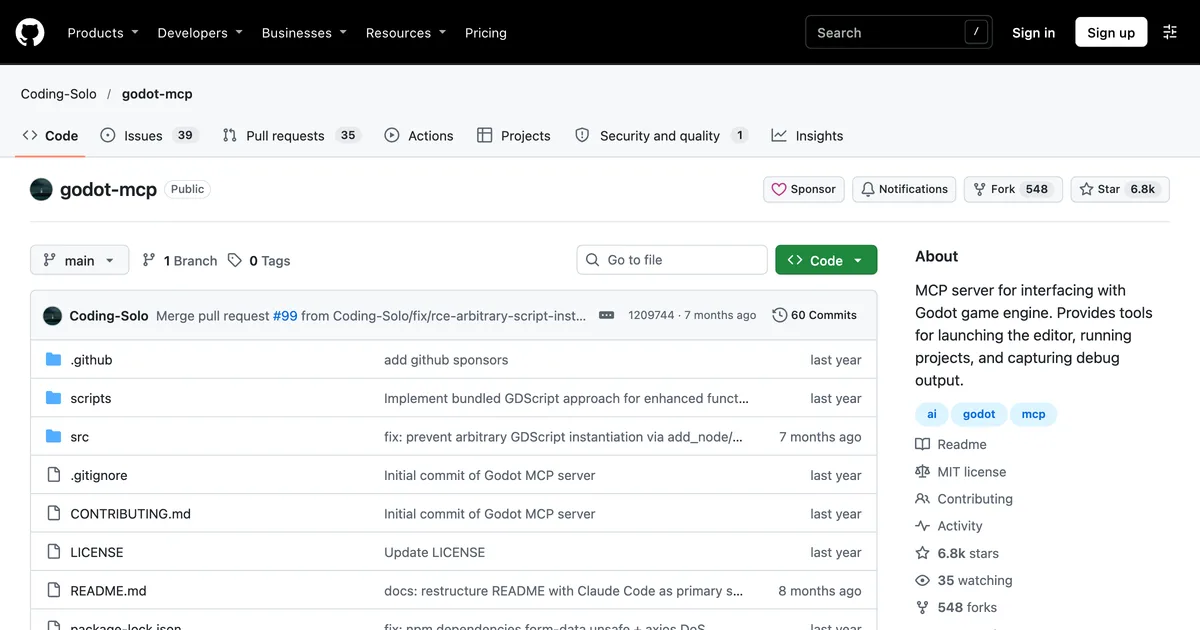
"Godot MCP" most often means godot-mcp by Coding-Solo, a free, MIT-licensed server that lets an AI agent launch the Godot editor, run your project, read its debug output and create scenes. It is the most-starred Godot MCP server on GitHub (6,773 stars on November 26, 2026), but it hasn't been updated since April 2026 and it does not work inside a live editor.
For a server that edits the scene you have open, the most active free option is Godot AI (hi-godot/godot-ai). There are also paid ones: Godot MCP Pro ($15) and Godot MCP Studio (free Lite, €59 Pro). None of them is made by the Godot project.
This guide compares them, shows how to install each in Claude Code and Codex with the commands from their own docs, and walks through adding a coin pickup to a 2D game. We checked every repo, command, version and price on November 26, 2026. We did not run Godot for this article, so the example is a walkthrough built from the documented tools, not a test report.
Godot MCP servers compared
| Server | License | GitHub (Nov 26, 2026) | Price | Godot versions | Works on the live editor | Tools |
|---|---|---|---|---|---|---|
| godot-mcp (Coding-Solo) | MIT | 6,773 stars, pushed Apr 16 | Free | No minimum stated (UID tools 4.4+) | No: runs Godot from the command line | 14 |
| Godot AI (hi-godot) | MIT | 3,711 stars, pushed Nov 25 | Free | 4.7+ | Yes | 46 tools, 120+ operations |
| Godot MCP Pro | Proprietary (server is paid) | 649 stars, pushed Nov 26 | $15 one-time | Godot 4 | Yes | 190 (README) |
| Godot MCP Studio | Commercial EULA | Not on GitHub | Lite free, Pro €59 one-time | 4.x, standard or .NET | Yes | 81 (Lite) / 363 (Pro) |
| Godot MCP - Full Control | MIT | 526 stars, pushed Oct 9 | Free | 4.4+ | Partly: headless plus a runtime server | 157 |
| Godot MCP Native | MIT | 882 stars, pushed Aug 3 | Free | 4.x (4.5+ recommended) | Yes, no Node.js | 155 |
| GDAI MCP | See vendor | Not on GitHub | $19 one-time | 4.2+ | Yes | Not listed |
Star counts and push dates are GitHub's figures on November 26, 2026. Tool counts are what each project states. You pay separately for your AI agent in every case.
Which Godot MCP should you use?
- You want the editor to change in front of you, for free: Godot AI. It is actively maintained, configures Claude Code, Codex, Cursor and 20-odd other clients from a dock, and checks its work with screenshots, logs and tests. It needs Godot 4.7 or newer.
- You want the simplest setup, one command: Coding-Solo's godot-mcp.
claude mcp add godot -- npx @coding-solo/godot-mcpand you're done. It's enough for "run the game and tell me what broke", since the agent writes.gdfiles itself. - You want the most tools and input simulation, and will pay: Godot MCP Pro. Its runtime tools can press keys, click buttons by their text and record gameplay frames, useful for automated playtests.
- You want a desktop app with art tools, on Windows or macOS: Godot MCP Studio. The free Lite edition needs no account.
- You are on an older Godot 4: Coding-Solo (no minimum stated), tugcantopaloglu (4.4+), GDAI MCP (4.2+) or Godot MCP Studio (any 4.x).
- You write C#: IvanMurzak/Godot-MCP (Apache-2.0, 385 stars; two editor-side libraries are under PolyForm Shield) runs
dotnet buildand returns compiler errors. It needs the .NET build of Godot 4.3+. Godot AI treats C# as text only.
For skills and MCP servers across other engines, see our game dev agent skills and MCP servers list. For the Unity side, see our Unity MCP guide.
What Godot MCP is
MCP (Model Context Protocol) is a standard way to give an AI agent tools that act on another program. Godot MCP servers come in two designs:
- Command-line servers (Coding-Solo's godot-mcp). The server starts Godot itself, with
--headlessscripts for scene edits, and captures its output. Nothing needs to be installed in your project, and the editor doesn't have to be open. The agent can't see or change what you have open in the editor. - Editor add-on servers (Godot AI, Godot MCP Pro, Godot MCP Studio, Godot MCP Native). You install an add-on in
addons/and enable it in Project → Project Settings → Plugins. It opens a local connection from the running editor, and the MCP server passes your agent's tool calls into it. The agent works on the live scene tree, with undo, and can take screenshots of the editor or the running game.
Either way, Claude Code and Codex can also write files directly. A common split is: the agent writes GDScript as normal files, and uses MCP for scenes, nodes, resources, running the game and reading errors.
godot-mcp (Coding-Solo)
The original Godot MCP server, written in TypeScript and run with npx.
- License: MIT. Free. npm package
@coding-solo/godot-mcp0.1.1 (February 3, 2026). Last push to the repo April 16, 2026. - Needs: Godot installed, Node.js 18+ and npm.
- Tools (14):
launch_editor,run_project,get_debug_output,stop_project,get_godot_version,list_projects,get_project_info,create_scene,add_node,load_sprite,export_mesh_library,save_scene,get_uid,update_project_uids. - Agents named in the README: Claude Code, Cline, Cursor, and "any MCP-compatible client".
Install in Claude Code
The README's command:
claude mcp add godot -- npx @coding-solo/godot-mcp
If Godot isn't found, point to it, and turn on debug logs if you need them:
claude mcp add godot -e GODOT_PATH=/path/to/godot -e DEBUG=true -- npx @coding-solo/godot-mcp
Restart Claude Code, then check with claude mcp list or /mcp.
Install in Codex
The README has no Codex section. Using the same command in Codex's documented syntax:
codex mcp add godot -- npx @coding-solo/godot-mcp
or in ~/.codex/config.toml:
[mcp_servers.godot]
command = "npx"
args = ["@coding-solo/godot-mcp"]
Add env = { GODOT_PATH = "/path/to/godot" } if Godot isn't on your PATH.
Cursor
Settings → Features → MCP → Add New MCP Server, type command, command npx @coding-solo/godot-mcp. Or .cursor/mcp.json:
{
  "mcpServers": {
    "godot": {
      "command": "npx",
      "args": ["@coding-solo/godot-mcp"],
      "env": {
        "DEBUG": "true"
      }
    }
  }
}
Forks. tugcantopaloglu/godot-mcp ("Godot MCP - Full Control", MIT) builds on this project and grows it to 157 tools, including game_eval (run GDScript in the running game), validate_script and C# project scaffolding. It requires Godot 4.4+ and was tested on 4.7.
Godot AI (hi-godot/godot-ai)
An editor add-on plus a Python server that connects Claude Code, Codex, Cursor and other clients to a live Godot editor.
- License: MIT. Free. Latest release v4.4.2 (November 16, 2026); pushed November 25.
- Needs: Godot 4.7+ and uv, which runs the server.
- Tools: 46 tools covering 120+ operations, per its tool list. Named tools include
editor_state,scene_get_hierarchy,node_create,node_set_property,node_find,scene_open,scene_save,script_create,script_attach,script_patch,project_run,test_run,logs_read,editor_screenshot(editor viewport or the running game) andbatch_execute. Everything else sits in per-domain tools such asscene_manage,node_manage,signal_manage,resource_manage,material_manage,animation_manage,input_map_manage,tilemap_manageandgame_manage(inputs and scene tree of the running game). - GDScript and C#: GDScript is validated and hot-reloaded. C# is text only: it writes
.csfiles but doesn't build them or report compiler errors. - Security: signed releases, rotating credentials on both local connections, the editor socket on loopback only, and writes kept inside your project (with
project.godot,override.cfgand.godot/off limits). - Telemetry: anonymous (install ID, event, outcome, duration, platform, version). Turn it off with
GODOT_AI_DISABLE_TELEMETRY=trueorDISABLE_TELEMETRY=true, or in the editor.
Install Godot AI
- Install uv. macOS / Linux:
curl -LsSf https://astral.sh/uv/install.sh | sh
Windows (PowerShell):
irm https://astral.sh/uv/install.ps1 | iex
- Install the add-on from the AssetLib tab in Godot, or from a GitHub release into
your-project/addons/godot_ai/. - Enable it: Project → Project Settings → Plugins → Godot AI.
- In the Godot AI dock, press Configure next to Claude Code or Codex (or Configure all). Restart the client if it doesn't pick up the change.
The README asks you to use the dock's command rather than writing the entry by hand: clients connect through godot-ai attach over stdio with a pinned version and credentials, and "a bare http://127.0.0.1:8000/mcp entry cannot authenticate". For clients the dock can't configure, it shows a Run this manually command. By default it writes the global (user) config; set Editor Settings → Plugins → godot_ai/mcp_client_scope to project for a per-project entry. Claude Code then needs a one-time approval from claude run in that project. To update, press Update in the dock; don't unpack a new version over addons/godot_ai/.
Godot MCP Pro
A Godot 4 add-on with a Node.js MCP server, by Youichi Uda.
- Price and license: the GitHub repo contains only the free add-on. The server comes in the paid package, "$15.00 USD or more" on itch.io (also sold on Buy Me a Coffee), a one-time purchase with lifetime updates. The README says the licence is proprietary.
- Version: v1.18.0, released November 26, 2026.
- Tools: the README lists 190 (the itch.io page says 163, and the repo description 162; the counts were changing on the day we checked). Groups include project, scene, node, script, editor, input simulation (
simulate_key,simulate_mouse_click,simulate_action,simulate_sequence), runtime (get_game_scene_tree,execute_game_script,capture_frames,click_button_by_text,move_to), testing (run_test_scenario,assert_node_state,assert_screen_text), animation, tilemaps, shaders, physics, particles, navigation, audio and export. Some tools need Godot 4.6, 4.7 or later. - Modes: Full (190 tools),
--3d(100),--lite(88) and--minimal(35), for clients with tool limits. There is also a CLI mode (node /path/to/server/build/cli.js --help) that lets the agent discover commands without loading every tool.
After buying and unzipping: copy addons/godot_mcp/ into your project, enable Godot MCP Pro under Plugins, then build the server:
cd server
npm install
npm run build
The README's Claude Code config, in .mcp.json:
{
  "mcpServers": {
    "godot-mcp-pro": {
      "command": "node",
      "args": ["/path/to/server/build/index.js"],
      "env": {
        "GODOT_MCP_PORT": "6505"
      }
    }
  }
}
The README lists Codex CLI under Full mode but gives no Codex block. In Codex's config.toml format the same entry is:
[mcp_servers.godot-mcp-pro]
command = "node"
args = ["/path/to/server/build/index.js"]
env = { GODOT_MCP_PORT = "6505" }
Godot MCP Studio
A desktop app plus Godot add-on by Coadite. The site says it is "not affiliated with or endorsed by the Godot Foundation".
- Price: Lite is free, with 81 tools for scenes, scripts and signals and no account. Pro is €59 once, with "All 363 tools, 19 skills, and Image Studio" (pixel art, animation, tiles) plus 80 generation credits. Credit packs start at 250 credits for €6. The licence is a lifetime v1.x licence for personal and commercial use.
- Needs: Godot 4.x (standard or .NET build), Windows 10/11 or macOS. Linux isn't listed.
- Setup: download the app, pick your project, click Install addon, enable Godot MCP Studio (or Godot MCP Studio Lite) under Plugins, then choose your client in the app's AI client picker and paste the config it generates. The docs say to copy the app's version, because it fills in the real path.
Other Godot MCP servers
- Godot MCP Native: MIT, 882 stars, 155 tools, runs inside Godot with no Node.js. It also ships
gdmcp, a CLI for agents with shell access, and a Codex skill. - IvanMurzak/Godot-MCP: Apache-2.0 (its RQL and Code-Exec dependencies use PolyForm Shield 1.0.0, which only restricts companies building competing AI game-dev tools), for the .NET build of Godot 4.3 to 4.7, with real C# builds. Installed with
npm install -g godot-cliandgodot-cli install-plugin ./MyGodotProject. - GDAI MCP: $19 one-time, Godot 4.2+, Windows, macOS and Linux, with screenshots and input simulation.
- GladeKit: MIT, one server for Unity and Godot 4.3+ (115 Godot tools, GDScript projects only).
Worked example: add a coin pickup with Claude Code and Godot AI
Goal: coins in a 2D platformer that disappear and add to a score when the player touches them. This is a walkthrough based on Godot AI's documented tools. We didn't run it, and your agent may choose different calls.
Before you start: commit your project to Git. Open it in Godot 4.7+ with the Godot AI dock showing the server connected and your client configured.
1. The prompt
Use the Godot MCP tools. Add a coin pickup to this 2D platformer:
- Write res://coin.gd for an Area2D. It emits a "collected" signal with a
  value and frees itself when a body in the "player" group enters.
- Create res://coin.tscn: an Area2D root named Coin with a CollisionShape2D
  (CircleShape2D, radius 8) and a Sprite2D using res://art/coin.png.
  Attach coin.gd to the root and save the scene.
- Make sure the player is in the "player" group.
- Instance 5 coins along the first platform in the main scene and save it.
- Run the project, read the logs, and take a screenshot of the running game
  to check the coins are visible. Fix any errors you find.
Show me the script before you create it.
2. What the agent does
From the tool list, a typical run:
script_createforres://coin.gdwith the script below. Godot AI parse-checks GDScript, so syntax errors come back right away.scene_managewithop="create"forres://coin.tscnwith anArea2Droot, thennode_createfor theCollisionShape2DandSprite2Dchildren.resource_managewithop="create"to make theCircleShape2D, andnode_set_propertyto set its radius and the sprite's texture.script_attachto putcoin.gdon the root, thenscene_save.node_findto locate the player, andnode_managewithop="add_to_group"to add it toplayerif needed.scene_openon the main scene, five instances (onebatch_executekeeps it atomic, rolling back on the first error), thenscene_save.project_run,logs_readwithsource="game", andeditor_screenshotof the running game, thenproject_managewithop="stop".
The script:
extends Area2D

signal collected(value: int)

@export var value := 1

func _ready() -> void:
    body_entered.connect(_on_body_entered)

func _on_body_entered(body: Node2D) -> void:
    if body.is_in_group("player"):
        collected.emit(value)
        queue_free()
Connecting body_entered in _ready() keeps the wiring in code, so it survives the scene being rebuilt. The player must be a physics body (for example a CharacterBody2D) for body_entered to fire, and its collision layer must be in the coin's collision mask.
3. With Coding-Solo's godot-mcp instead
The same feature works without an editor add-on: the agent writes coin.gd with its own file tools, then calls create_scene (root type Area2D), add_node for the CollisionShape2D and Sprite2D, load_sprite for the texture, and save_scene. Then run_project, get_debug_output to read errors, and stop_project. The difference: you won't see the scene change live, and there are no screenshots, so you check the result by opening the scene yourself.
4. Next steps
Ask for a score label that listens to collected, a pickup sound with audio_manage, or a GDScript test run with test_run. If you want to publish the finished game on the web, export it to HTML5 and see our WebGL games list for what browser games look like.
Limits and safety
- Agents can run code. Godot AI's
game_eval, Godot MCP Pro'sexecute_editor_scriptandexecute_game_script, and the fork'sgame_evalrun arbitrary GDScript. Read what the agent sends before you approve it. - Use Git. Editor add-ons save scenes directly, and Godot AI's
project_runautosaves in-memory edits by default. - Keep it local. The editor connections listen on localhost (Godot AI's editor socket is loopback-only with rotating credentials). Don't expose those ports to networks you don't trust.
- One server per project. Two add-ons that each control the editor can fight over the same scene. Choose one.
- Tool count costs tokens. Godot MCP Pro's Lite and Minimal modes and Godot AI's rolled-up domain tools exist because some clients cap tools near 100 and large lists use context.
- The Godot project's AI policy is about the engine, not your game. On June 30, 2026 the Godot Foundation announced that code contributed to the engine itself must be human-authored, with no autonomous agents or vibe coding in pull requests. That applies to contributions to Godot. It says nothing against using AI on your own games, but don't point an agent at a Godot engine pull request.
FAQ
Is Godot MCP free?
Coding-Solo's godot-mcp, Godot AI, Godot MCP Native and tugcantopaloglu's fork are free and MIT-licensed. IvanMurzak/Godot-MCP is free under Apache-2.0, with two dependencies under PolyForm Shield. Godot MCP Pro costs $15, GDAI MCP $19, and Godot MCP Studio has a free Lite edition and a €59 Pro edition. You also pay for your AI agent.
Is there an official Godot MCP server?
No. All of these are third-party projects. Godot MCP Studio says outright that it isn't affiliated with the Godot Foundation.
Does Godot MCP work with Claude Code?
Yes. For Coding-Solo's server, run claude mcp add godot -- npx @coding-solo/godot-mcp. For Godot AI, press Configure next to Claude Code in the Godot AI dock. Check with claude mcp list.
Does Godot MCP work with Codex?
Yes. Godot AI's dock configures Codex directly. Coding-Solo's server works with codex mcp add godot -- npx @coding-solo/godot-mcp. Godot MCP Pro lists Codex CLI as supported in Full mode.
Which Godot version do I need?
Godot AI needs 4.7+. Coding-Solo's states no minimum (its UID tools need 4.4+). tugcantopaloglu's fork needs 4.4+, GDAI MCP 4.2+, Godot MCP Studio any 4.x. The current stable Godot was 4.7.2 on November 26, 2026.
Does Godot MCP support C#?
Partly. Godot AI writes C# as text but doesn't compile it. IvanMurzak/Godot-MCP builds C# with dotnet build and returns errors, and tugcantopaloglu's fork can scaffold C# projects. GladeKit doesn't support C# projects yet.
Can I use AI-written code in my Godot game?
Godot's MIT licence and its 2026 contribution policy don't stop you. The policy covers code submitted to the Godot engine repository, not games made with Godot.
Sources
Checked November 26, 2026: Coding-Solo/godot-mcp README; hi-godot/godot-ai README and TOOLS.md; youichi-uda/godot-mcp-pro README and itch.io page; Godot MCP Studio and its install and client docs; tugcantopaloglu/godot-mcp; yurineko73/Godot-MCP-Native; IvanMurzak/Godot-MCP; GDAI MCP; Glade-tool/glade-mcp; Godot contribution policy 2026; Claude Code MCP docs; Codex MCP docs; GitHub API for stars, push dates, licences and the latest Godot release.