Meshy, Tripo and Hunyuan 3D all turn an image (or a text prompt) into a textured 3D model you can download as a GLB. For a browser game the short answer is:
- Tripo if you want the most control over low-poly output and rigging from one API, and you will pay for a plan. Its free tier is non-commercial.
- Meshy if you want a free tier you can ship with: free outputs are CC BY 4.0, so commercial use is allowed with credit. Its Smart Topology mode is aimed at game-ready meshes.
- Hunyuan 3D if you want to run the model on your own GPU. Tencent publishes the 2.x weights, but under a community licence that excludes the EU, the UK and South Korea. The newer 3.x models are hosted only.
How we made this comparison. We don't have accounts with these services and did not generate any models for this article. Everything below comes from each vendor's documentation, pricing pages, licence terms and published examples, checked on 26 November 2026. Where a quality claim appears, it's the vendor's or a named outlet's, with a link. Prices change often, and two of the three vendors were running Black Friday or new-user discounts when we checked; we list the regular prices.
Quick comparison
| Meshy | Tripo | Hunyuan 3D | |
|---|---|---|---|
| Made by | Meshy | VAST (Holymolly Ltd, Hong Kong) | Tencent |
| Current models | Meshy 7.1, Meshy 6, Meshy 6 Lite; Smart Topology T2.5 / T2 | H3.1 (high detail), P1 and P2 (low poly / quads) | Hosted: HY 3D 3.0 and 3.1. Open weights: Hunyuan3D 2.0, 2mini, 2mv, 2.1 |
| Inputs | Text, image, multi-image | Text, image, multi-view | Text, image, multi-view, sketch (hosted); image (open weights) |
| Free tier | 100 credits/month, up to 10 assets, 10 Meshy 6 Lite downloads | 200 credits/month (about 13 models), 15 exports (H2.5 only) | Open weights free to run; API: 200 free credits per user |
| Free-tier licence | CC BY 4.0 (commercial use with attribution) | Public models, non-commercial; Tripo keeps the rights | Open weights: Tencent claims no rights in outputs, but territory limits apply |
| Paid from | Pro $20/month (1,000 credits) | Pro $20/month (3,000 credits) | API credits from $0.0135 each (prepaid) or $0.02 (postpaid) |
| Low-poly mode | Smart Topology: 100–30,000 triangles | Smart Low Poly: 500–20,000 tris; P1: 50–20,000; P2 up to 50,000 tris or 25,000 quads | LowPoly mode and Smart Topology in the API |
| Auto-rigging | Humanoids and quadrupeds | Bipeds, quadrupeds and six other body types | Auto Rigging in the API |
| Part segmentation | Yes (Smart Topology parts) | Yes (Generate Parts, Segmentation) | Yes (3D Part Generation; open Hunyuan3D-Part) |
| Export | GLB, FBX, OBJ, USDZ, STL, 3MF, .blend | GLB by default; convert to glTF, FBX, USDZ, OBJ, STL, 3MF | GLB from the API, plus a format-convert call |
| API | Paid plans only | Separate developer platform, $0.01 per credit | Tencent Cloud API |
| Engine plugins | Blender, Unity, Unreal, Godot, Roblox Studio, Maya, 3ds Max and more | Unity, Unreal, Blender, Godot, Cocos, ComfyUI | Blender add-on in the open-source repo |
Meshy
Meshy does text to 3D, image to 3D and multi-image to 3D, AI texturing and retexturing, remeshing, UV unwrapping, auto-rigging and an animation library. Its current flagship is Meshy 7.1, which VoxelMatters reports began rolling out on 10 September 2026 with an "Ultra 4K" geometry mode. The same report quotes Meshy's own "Detail Richness" benchmark, in which Meshy ranks 7.1 first among five image-to-3D models. That is the vendor's own test, not an independent one.
Two ways to generate. In the web app's Image to 3D you pick High Detail (Meshy 7.1) or Smart Topology (Meshy T2.5 by default, or T2). Smart Topology is the one to look at for games: you set a poly count (T2.5: 100 to 30,000, default 15,000; T2: 100 to 15,000, default 4,000), the output is triangles only, and the docs say the parts come out natively segmented so you can retexture or animate them separately. With Meshy 7.1 you can add up to three extra views to the main image, which needs a paid plan.
Credits per model. The web app charges 15 credits for Smart Topology and 20 for Meshy 7.1 at Standard resolution (25 at Ultra 2K or 4K, which is the default on paid plans). The API pricing table is more detailed: image to 3D with Meshy 7.1 costs 20 credits for the mesh alone and 30 with 2K textures; Meshy 6 Lite costs 5 and 15. Remesh, UV unwrap and rigging cost 5 credits each, and animation 3 credits per action. The API docs also say the old lowpoly model type retired on 30 October 2026 and Meshy 7 for 3D generation retires on 31 December 2026.
Prices. From the pricing page:
| Plan | Monthly | Billed yearly | Credits/month |
|---|---|---|---|
| Free | $0 | – | 100 (up to 10 assets) |
| Pro | $20 | $12/month ($144/year) | 1,000 |
| Premium | $40 | $20/month ($240/year) | 3,000 |
| Ultra | $100 | $80/month ($960/year) | 8,000 |
| Studio | $70 (+$10 per seat) | $56/month | 5,500 shared |
The free plan includes text to 3D, image to 3D, AI texturing and 20 animations, but not multi-view, remesh or the API, and it allows 10 Meshy 6 Lite downloads a month. Paid plans have unlimited downloads.
Licence. The pricing page lists free-plan outputs as CC BY 4.0, which it describes as commercial use with attribution. Paid-plan outputs are "Private & Customer owned". So a free Meshy model can go in a commercial game if you credit it the way CC BY 4.0 requires.
Export and settings. The pricing page lists FBX, OBJ, USDZ, GLB, STL, .blend and 3MF. The image-to-3D API lets you set topology (quad or triangle), target_polycount (100 to 300,000 when remeshing, default 30,000), texture_resolution (2K, 4K or 8K), enable_pbr, pose_mode (A-pose or T-pose for characters), and auto_size with origin_at: "bottom", which scales the model to an estimated real-world height and puts its origin at its base. That last one saves a step in three.js.
Rigging. The rigging API handles humanoids and four-legged animals. It needs a textured GLB under 380,000 triangles with the character facing +Z, and returns GLB and FBX with walking and running animations. For humanoids you can pick a skeleton template, including Mixamo, Unreal Engine 5 Mannequin, Unity Humanoid and Blender Rigify.
Plugins and API. Meshy's integrations page lists Blender, Unity, Unreal Engine, Godot, Roblox Studio, Maya, 3ds Max, ZBrush and others, plus an MCP server and a CLI. The plugins are free to download, but sending models from Meshy into them (the DCC Bridge) needs Pro or above. The API is on paid plans only, at 20 requests per second, and API assets are kept for 3 days on Pro, Premium and Ultra.
Tripo
Tripo is made by VAST; its terms name Holymolly Ltd of Hong Kong. It has a web app (Tripo Studio) and a separate developer platform. Tripo also published the open-source TripoSR and TripoSG models (both MIT), which are older and separate from the hosted service.
Models. The models page lists two families:
- H series for detail: H3.1 (
v3.1-20260211, recommended for new projects), H3.0 and H2.5. - P series for games: P1 (
P1-20260311), described as "best low-poly performance" with 50 to 20,000 faces, and P2 (P2-20260801), with native quad topology at 48 to 50,000 triangles or 48 to 25,000 quads, aimed at game characters, props and real-time use.
For a browser game the P series is the obvious place to start. The H series also has a smart_low_poly switch (500 to 20,000 triangles or 500 to 10,000 quads) that the image-to-3D docs describe as "hand-crafted, clean topology style" and note works best on simple inputs. The same page suggests 10,000 to 50,000 faces for web and mobile.
Studio prices. From the pricing page:
| Plan | Price | Credits/month |
|---|---|---|
| Free | $0 | 200 (about 13 models) |
| Pro | $20/month or $240/year | 3,000 (about 200 models) |
| Max | $90/month or $1,080/year | 25,000 |
| Team | $110 per seat per month, or $44 per seat billed yearly | 90,000 |
Credit packs start at $10 for 1,000 credits. The free plan is marked "Public Models · Non-Commercial Use" with 15 exports, all H2.5 only. Pro and up get private models, commercial use, unlimited exports and the DCC Bridge to Blender, 3ds Max, Unity, Unreal, Maya, Cocos, Godot and ZBrush. Multi-view to 3D is listed from Pro, and Free gets only limited Smart Segmentation.
Licence. Tripo's Terms (last updated 11 July 2025) are blunt. For free users, section 5.2.1 says Tripo "retains all rights" to their inputs and outputs. For paid users, section 5.2.2 says they "generally have all rights" to theirs, and that Tripo won't train on them. Some posts on Tripo's own blog describe free models as CC BY 4.0, but the pricing page and the Terms say otherwise, so treat free Tripo models as unusable in a game you sell.
API. Billed separately on the developer platform at 1 credit = $0.01, with a $1 minimum. Image to 3D costs 20 credits untextured and 30 textured ($0.30). Add-ons stack: Smart Low-poly +10, Quad Mesh +5, Generate Parts +20, HD Texture +10. Auto-rig is 25 credits, retargeting an animation 10, and a rig check is free.
Rigging. The auto-rig docs cover more body types than the others: biped, quadruped, hexapod, octopod, avian, serpentine, aquatic and "others". Humanoid rigs can use Tripo, Mixamo, ActorCore, Unity, Unreal or VRM bone naming, and output GLB or FBX.
Export. Generations come back as GLB (turning on quad forces FBX). The convert endpoint outputs glTF, FBX, USDZ, OBJ, STL and 3MF, and has the switches a game maker wants: face_limit, texture_size, texture_format (including WEBP), pivot_to_center_bottom and scale_factor. One catch: generations default to an X-forward export orientation, so check which way your model faces in three.js.
Plugins. The plugins page lists Unity (2022+), Unreal Engine (5.6), Blender (3.0+), Godot (4.4+), Cocos Creator and ComfyUI, each needing an API key. Tripo also has an MCP server, a CLI and a Codex plugin.
One game on VibeGamer used Tripo this way: its maker modelled the characters with Tripo and Blender and built the game in Unity for WebGPU.

Hunyuan 3D
Hunyuan 3D is Tencent's 3D generation family. It comes in two forms that work very differently.
The open weights (Hunyuan3D 2.x)
Tencent publishes the weights and code on GitHub and Hugging Face:
- Hunyuan3D-2 (January 2025, 15,570 stars): a 1.1B-parameter image-to-shape model, a 1.3B texture model, plus the faster 2mini (0.6B) and the multi-view 2mv (1.1B), with Turbo versions.
- Hunyuan3D-2.1 (June 2025, 4,563 stars): a 3.3B shape model and a 2B PBR texture model, released with full training code.
- Hunyuan3D-Omni (controllable generation) and Hunyuan3D-Part (part segmentation and generation).
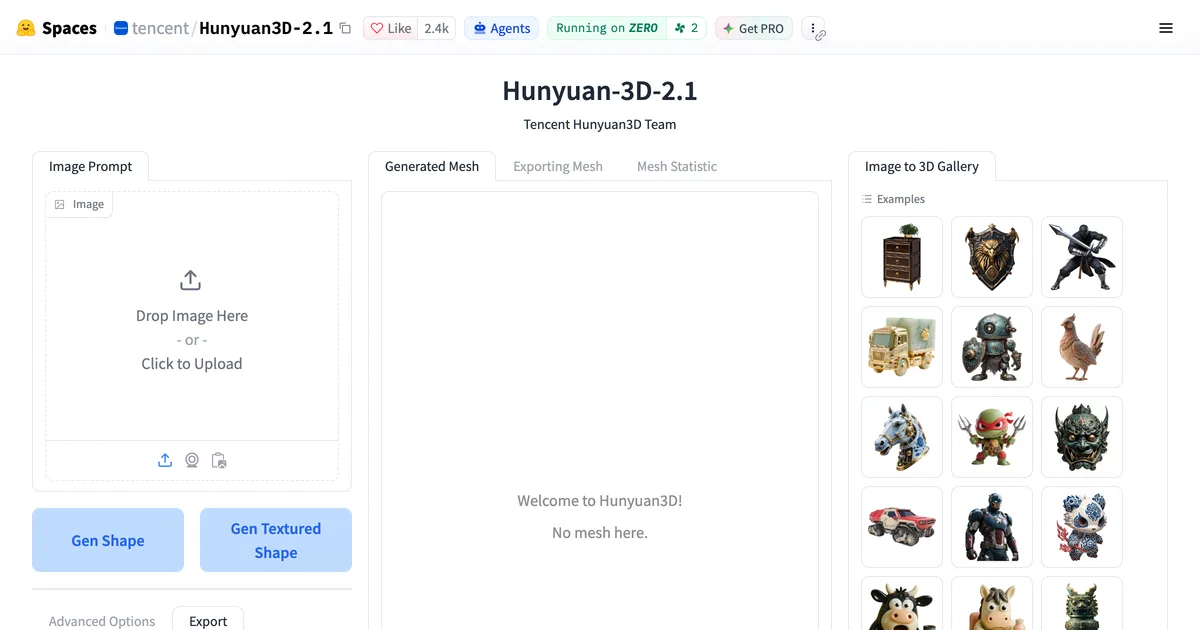
The open models are mainly image to 3D, though Hunyuan3D-2's README says its local API server also takes text prompts. Its texture model can also paint meshes you made yourself, not only generated ones. The repo includes that API server and a Blender add-on that talks to it. You can try 2.1 without installing anything in Tencent's Hugging Face demo.
Can it run on your PC? The READMEs give these numbers:
| Model | Shape only | Shape + texture |
|---|---|---|
| Hunyuan3D-2 (2.0) | 6 GB VRAM | 16 GB VRAM |
| Hunyuan3D-2.1 | 10 GB VRAM | 29 GB VRAM (21 GB for the texture step) |
So an NVIDIA card with 8 GB can make untextured 2.0 shapes, a 16 GB card can do 2.0 with textures, and the 29 GB figure for textured 2.1 points to a 32 GB card or a cloud GPU. The 2.1 README was tested with Python 3.10 and PyTorch 2.5.1 with CUDA 12.4, and the Gradio app has a --low_vram_mode flag. The 2.0 README says it supports macOS, Windows and Linux, and links community Windows installers.
The licence is not open source. Both repos use the Tencent Hunyuan 3D Community License, not an OSI-approved licence. In the 2.1 licence text:
- It "does not apply in the European Union, United Kingdom and South Korea". The licence only covers the "Territory", defined as the world minus those three.
- You "must not use, reproduce, modify, distribute, or display" the model, its Output or results outside the Territory.
- "Tencent claims no rights in Outputs You generate."
- If your products had more than 1 million monthly active users in the month before the release date, you need a separate licence from Tencent.
- You can't use the model or its outputs to improve another AI model.
For a game maker the territory clause is the one to read twice. A browser game is played wherever it's served, and taken literally the licence doesn't cover displaying its outputs to players in the EU, the UK or South Korea. We're not lawyers; if that audience matters to you, get advice or use another tool.
The hosted versions (HY 3D 3.x)
Tencent's newest models, HY 3D 3.0 and 3.1, are hosted only. CGWORLD reported that 3.1 came out on 16 January 2026 and doubled the reference views it builds from an image from 4 to 8. There are three ways in:
- HY 3D Global, the web app at hy3d.tencent.ai (3d.hunyuanglobal.com redirects there). Plans show after you sign in, which we didn't do. CGWORLD reported a free Basic plan with 200 credits a month and a Plus plan at $19.90 a month for 2,000 credits. When we opened the site, a notice said its Smart Topology and Sketch to 3D lab features were moving into its 3D Studio workspace.
- The Chinese site, 3d.hunyuan.tencent.com.
- The Tencent Cloud API. The billing page (updated 8 May 2026) prices it in credits: a textured model costs 25, LowPoly 30, untextured 15; multi-view, PBR and a face-count limit each add 10. Extras: 3D Part Generation 30, Smart Topology 50, UV Unfold 10, Auto Rigging 10, format conversion 5. Credits cost $0.02 each postpaid, or $15 for 1,000 down to $1,350 for 100,000 prepaid. Each user gets 200 free credits for the Professional API, valid for a year. Versions 3.0 and 3.1 cost the same.
We didn't find a clause about who owns hosted outputs in the API service terms we read, so check your account's terms before shipping hosted Hunyuan models commercially.
What one model costs
Rough cost of one textured image-to-3D model at list prices, from the pages above. Cost per credit on subscriptions is the plan price divided by its credits.
| Route | Credits | About |
|---|---|---|
| Meshy API, Meshy 7.1 + 2K textures, on Pro monthly ($0.02/credit) | 30 | $0.60 |
| Meshy API, Meshy 6 Lite + 2K textures, on Pro monthly | 15 | $0.30 |
| Tripo API, textured | 30 | $0.30 |
| Tripo API, textured + Smart Low-poly | 40 | $0.40 |
| Tencent Cloud, textured, postpaid | 25 | $0.50 |
| Tencent Cloud, LowPoly, postpaid | 30 | $0.60 |
| Hunyuan3D 2.x on your own GPU | – | Your hardware and power |
Retries add up: a model often takes several generations before it looks right, and these figures don't include them.
Which should you use?
- You want free, shippable models. Meshy's free tier (CC BY 4.0, credit required), or Hunyuan3D 2.x on your own GPU if you and your players are outside the EU, UK and South Korea. Tripo's free tier isn't an option for a commercial game.
- You want low-poly props for a browser game. Tripo's P1/P2 or Smart Low Poly, or Meshy's Smart Topology. Both let you set a face count. Or skip generation and use free low-poly 3D models for common props.
- You need rigged characters. Tripo covers the most body types; Meshy covers humanoids and quadrupeds with engine-specific skeletons. See our guide to AI auto-rigging for 3D characters.
- You want an API inside your own tool or agent. Tripo's pay-as-you-go platform has the lowest entry point ($1 minimum). Meshy's API needs a subscription. Tencent Cloud needs a Tencent Cloud account.
- You want to work from Blender with an AI agent. Blender MCP has a
generate_3dtool that can call Meshy, Tripo, Hunyuan3D or Hyper3D Rodin with your own API keys. - You want no generator at all. An agent can also build simple props in code. See code-built 3D assets and Polyfork's free GLBs.
Other options
- TRELLIS.2 from Microsoft: a 4B-parameter image-to-3D model with PBR materials, MIT-licensed (13,239 stars). Its README says it needs an NVIDIA GPU with at least 24 GB and has only been tested on Linux. Some dependencies, such as nvdiffrast, have their own licences. The original TRELLIS is also MIT.
- Hyper3D Rodin from Deemos: image, multi-image and text to 3D. Its pricing page lists Creator at $30/month and Business at $120/month, and only paid plans get "Unlimited export and any use". The API is on Business.
- TripoSR: Tripo's older open image-to-3D model, MIT (7,476 stars). It predates the hosted H and P models.
Getting a generated model into three.js
The steps are the same whichever tool made the GLB.
1. Generate with game settings
- Polycount. For props seen at a distance, try 1,000 to 5,000 triangles; for a main character, 10,000 to 30,000. These are our starting points, not vendor rules. Tripo's docs suggest 10,000 to 50,000 for web and mobile. Set it at generation time (Meshy Smart Topology poly count, Tripo
face_limitwith P1/P2 orsmart_low_poly, Hunyuan's FaceCount), because a mesh made low-poly on purpose usually looks better than a dense one cut down afterwards. - Textures. 1024 px is plenty for most browser-game props. Meshy starts at 2K and Tripo's converter at 4096, so plan to resize (step 3).
- Input image. One object, plain background, the whole object in frame, front or three-quarter view. Tripo's docs ask for a clearly visible subject, a clean background and minimal occlusion, at 256 × 256 px or more.
- Characters. Ask for an A-pose or T-pose (Meshy's
pose_mode) if you plan to rig.
2. Check scale, origin and facing
glTF uses metres and +Y up, as does three.js. Generators don't always know how big your object is, so normalise it on load:
import * as THREE from 'three';
import { GLTFLoader } from 'three/addons/loaders/GLTFLoader.js';
import { MeshoptDecoder } from 'three/addons/libs/meshopt_decoder.module.js';

const loader = new GLTFLoader();
loader.setMeshoptDecoder(MeshoptDecoder); // needed for files compressed in step 3

const gltf = await loader.loadAsync('/models/barrel.opt.glb');
const model = gltf.scene;

// Scale to a target height (metres) and stand the model on y = 0, centred.
const targetHeight = 1.0;
let box = new THREE.Box3().setFromObject(model);
model.scale.multiplyScalar(targetHeight / box.getSize(new THREE.Vector3()).y);
box = new THREE.Box3().setFromObject(model);
const center = box.getCenter(new THREE.Vector3());
model.position.set(-center.x, -box.min.y, -center.z);

const prop = new THREE.Group(); // move and rotate this, not the model
prop.add(model);
scene.add(prop);
If the model faces sideways, rotate it once on the inner model (for an X-forward Tripo export, model.rotation.y = -Math.PI / 2 turns +X towards +Z). Better still, fix it at the source: Meshy's auto_size with origin_at: "bottom", Tripo's auto_size and pivot_to_center_bottom, or gltf-transform center below.
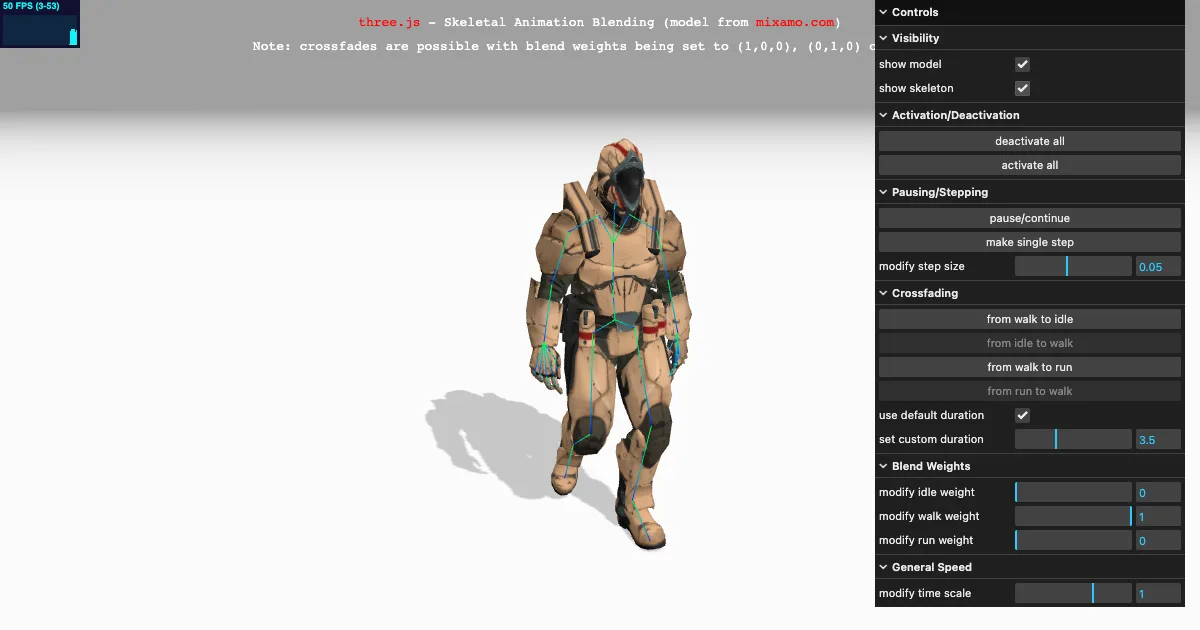
If the model is black, the scene needs light: add a HemisphereLight or an environment map. For a rigged GLB, play its clips with THREE.AnimationMixer:
const mixer = new THREE.AnimationMixer(model);
mixer.clipAction(gltf.animations[0]).play();
// in your loop: mixer.update(delta);
3. Compress with glTF-Transform
Generated GLBs are often several megabytes, mostly textures. glTF-Transform (MIT) shrinks them. These commands are from its CLI help (version 4.5.1):
npm install --global @gltf-transform/cli

# See what's inside: triangle counts, texture sizes, file size by part
gltf-transform inspect barrel.glb

# One command for most cases: meshopt geometry compression, light simplification,
# WebP textures capped at 1024 px
gltf-transform optimize barrel.glb barrel.opt.glb --texture-compress webp --texture-size 1024

# Cut more triangles: aim to keep 50% of vertices, within 0.1% error
gltf-transform simplify barrel.glb barrel.simple.glb --ratio 0.5 --error 0.001

# Put the origin under the model so it stands on y = 0
gltf-transform center barrel.glb barrel.centered.glb --pivot below
optimize uses meshopt compression by default, which is why the loader above calls setMeshoptDecoder. It also joins meshes and flattens the scene graph by default. For a rigged character, check the optimised file still animates; if it doesn't, rerun with --join false --flatten false.
4. Rig if it needs to move
Meshy and Tripo can rig in the same tool, and Hunyuan has an Auto Rigging call on Tencent Cloud. Mixamo and Blender are the other common routes. Our AI auto-rigging guide compares them.
5. Keep a consistent style
Generated assets drift in style from one model to the next. What helps:
- Make the input images first, in one style. Generate all your concept images with the same image model, prompt template and colour palette, then convert those. The 3D tools copy the image's look.
- Retexture to a shared reference. Meshy's
texture_image_urland Tripo's texture endpoint let you texture a mesh from a style image you choose. - Fix seeds while iterating. Tripo has
model_seedandtexture_seed; keep the model seed and vary the texture seed to try looks on the same shape. - Override materials in three.js. For a flat or toon look, drop the generated textures and give every mesh a
MeshToonMaterialor a flat colour from your palette. This hides the biggest differences between generations. - Use the same poly budget and texture size for every asset of a kind, so nothing looks more detailed than its neighbours.
For finding three.js games to learn from, see our three.js examples list, and for agent tools across engines, game dev agent skills and MCP servers.
FAQ
Is Meshy free?
Partly. The free plan gives 100 credits a month (up to 10 assets), 10 downloads of Meshy 6 Lite models, and no API or multi-view. Free outputs are licensed CC BY 4.0, so you can use them commercially if you credit them. Paid plans start at $20 a month, or $12 a month billed yearly.
Can I sell games with Tripo models?
Only from a paid plan. The pricing page marks free models "Non-Commercial Use", and Tripo's Terms (section 5.2.1) say Tripo keeps all rights to free users' outputs. Paid users "generally have all rights" to their outputs under section 5.2.2. Pro is $20 a month.
Can Hunyuan 3D run on my PC?
The open Hunyuan3D 2.x models can, with an NVIDIA GPU: 6 GB of VRAM for untextured 2.0 shapes, 16 GB for 2.0 with textures, and 29 GB for textured 2.1. The newer 3.0 and 3.1 models are hosted only. The community licence doesn't apply in the EU, the UK or South Korea.
Which is best for low poly?
On paper, Tripo has the most low-poly controls: the P1 and P2 models (down to about 50 faces, with native quads in P2) and Smart Low Poly. Meshy's Smart Topology (100 to 30,000 triangles) is the main alternative. We didn't generate test models, so compare them with your own input images on each free tier before you pay.
Meshy or Tripo: which is cheaper?
Per API call, Tripo: a textured image-to-3D model is 30 credits at $0.01 ($0.30), versus 30 Meshy credits for Meshy 7.1 with 2K textures, about $0.60 at Pro's monthly rate. Tripo's Pro plan also has more credits for the same $20 (3,000 versus 1,000), though each tool spends credits differently.
Do these work with Blender and Unity?
Yes. Meshy and Tripo have Blender, Unity, Unreal and Godot plugins, and Hunyuan3D-2 ships a Blender add-on for its local server. Through Blender MCP, an AI agent can call all three from inside Blender.
Sources
Checked 26 November 2026: Meshy pricing, Meshy API pricing, Meshy image-to-3D API, Meshy web app Image to 3D, Meshy rigging API, Meshy integrations, VoxelMatters on Meshy 7.1, Tripo pricing, Tripo Terms, Tripo API pricing, Tripo models and versions, Tripo image to 3D (H) and (P), Tripo convert, Tripo auto rig, Tripo plugins, Hunyuan3D-2 and Hunyuan3D-2.1 READMEs and licences, Tencent HY 3D Global billing, CGWORLD on HY 3D 3.1, TRELLIS.2, Hyper3D pricing, glTF-Transform CLI, three.js GLTFLoader.